How old are your kids? Do they have cell phones yet? My son just started middle school this year and for his birthday, back in June, we got him his first cell phone. I was on the fence about it, but after having it for a few months, I have to say, I kind of like that he has it. Since he’s getting older, he wants a little more freedom. This summer I let the kids start riding their bikes around the block, but only if they stuck together and only if he had his cell phone with him (with the Life 360 app on it) to call me if need be. Plus…and this is kind a big plus…it’s all about finding your child’s currency and for him, it’s his phone. He doesn’t want it taken away, so that gives me a little leverage when the tween/teen mouth starts going! But please, if you get your kids a cell phone, be sure to teach them internet safety!

I came across an app not too long ago called Life 360. This app is amazing! Basically, it’s a GPS tracking app. At any given moment (so long as the phone is on), I can click on my sons picture and it will tell me where he’s at. I’ve set our home and his school as an official location so when he leaves school, I get an alert telling me so. With beginning of the school year busing issues, it’s nice to know where his late bus is at all times!
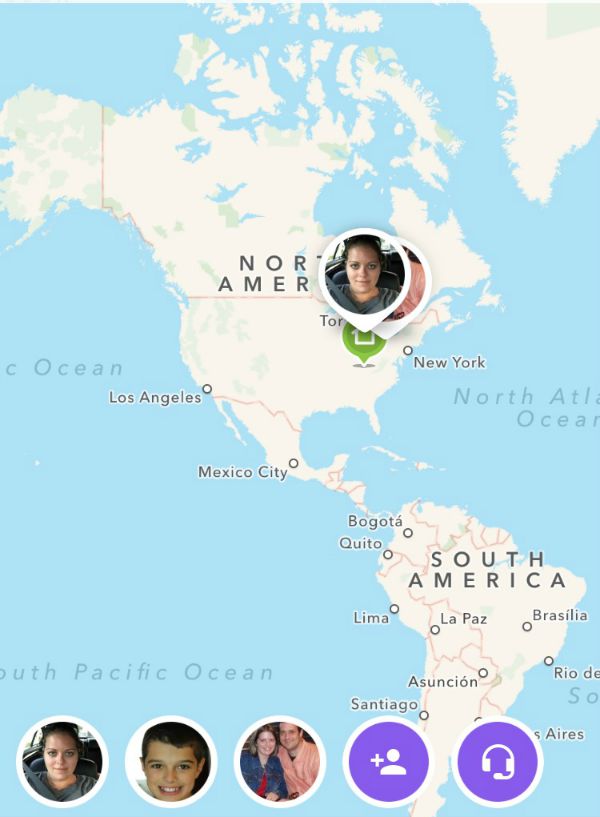
Both kids also like to click on their dads face to see where he’s at. Since he travels for work, it’s neat for them to see the different states and cities that he is in for a particular week. Now I know my son is only 11, but before you know it, he will be taking drivers training and wanting to go off IN A CAR with his friends. I can’t even picture my son driving, but the day is coming…quicker than I’d like to admit. I’m forever hearing about what kind of car he thinks he will get when the time comes.
*This post is a partnered post. All opinions and stories are my own*
Sometimes I have to laugh at what he thinks he’s getting. I overheard him saying he was getting a Mustang. Um. No child. You are not getting a Mustang! But the nice thing is, there are car dealerships out there like Central Avenue, that have a bargain basement section of used cars that have very reasonably priced cars that make great cars for their first car. I was browsing through the bargain basement section and I found a car for less than $5000! My first car cost about that! I think parents (and everyone else looking for a new-to-them car) should really consider checking out their local car dealership to see what they have on hand in the Used Cars department and see what deals they can offer you. If you are local to the Central Avenue dealership, run over and check out their bargain basement section!
We all want our kids to be safe, whether they are out driving around with their friends or not, and the Life 360 app is one app I am glad I added to my kids phone. He has been made aware that this app must stay on his phone and he is to keep his phone on and charged (when he is not in school) so I can see where he’s at, if need be. He also has gotten into the habit of opening up the app once he gets on the school bus, clicking the “Check In” button to let me know that he will be home shortly. I didn’t tell him to do this, but I love that he does. Especially when I’m still at Meijer and need to hurry home to make sure I’m there when he walks in!
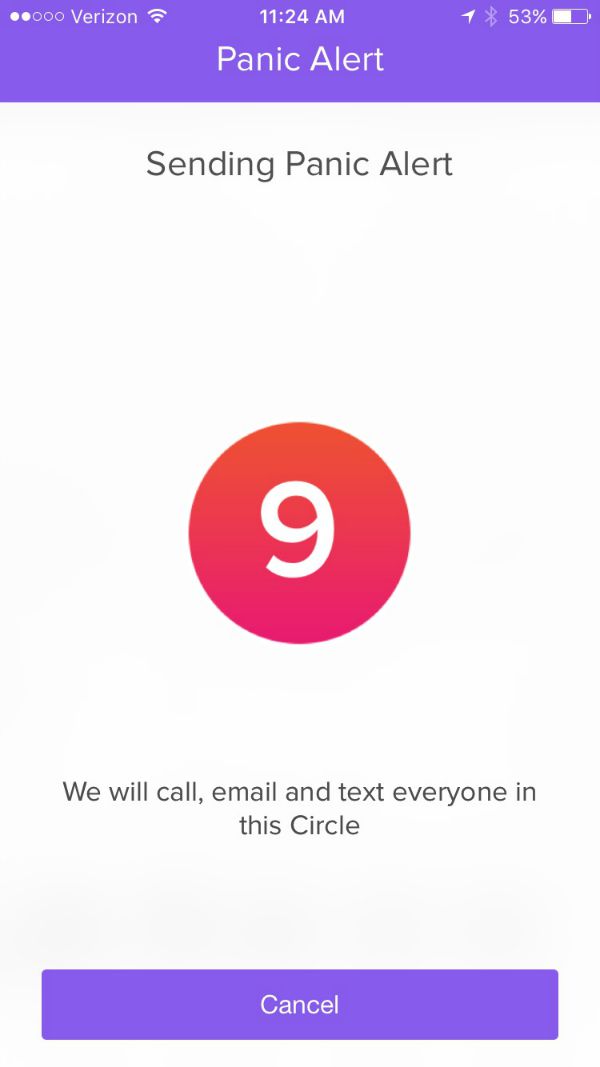
And finally, if your child ever finds themselves in a sticky situation and they need help right away, they can press the panic button and it will alert everyone that is in the same circle with your child. So in my case, it would send a call, email and text my husband and I. If your child (or you…because I did this!) hits the panic button by mistake, you have 10 seconds to click cancel!
Leave a Reply