
One of my goals for 2018, was to use my time wisely and write more. Getting myself organized and pre-planning my posts was something I really needed to get better at. Having my son go to a private high school about 35-40 minutes from the house, and a daughter currently in the middle of her travel soccer season, planning is paramount. The Trello app has helped me pre-plan and, as a result, I began writing more.
*As an Amazon Associate, I earn from qualifying purchases*
Image via Pexels by Jessica Lewis
What is the Trello App?
The Trello app is an organizational app that allows you to make various boards for your various projects and lists. You have the ability to add others to your boards when collaborating on a project, or you can use the Trello app by yourself. Not only is this app available on your iPhone, iPad and Mac, but it is also available through Google Play.
How I Used the Trello App for Blogging
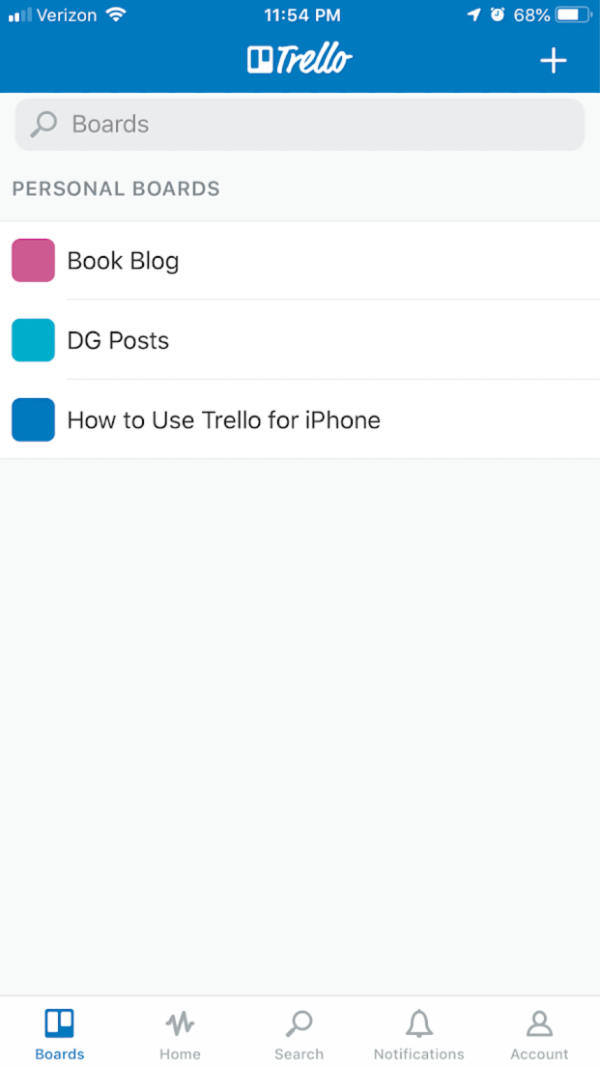
The first thing you want to do is press the plus sign in the upper right corner. That will allow you to add a board. Since I have this blog and my book site, I made sure to make a separate board for each site. You can also color code each board so you don’t confuse anything. Once you click on your board, you can then add cards to the board to organize your thoughts and projects.
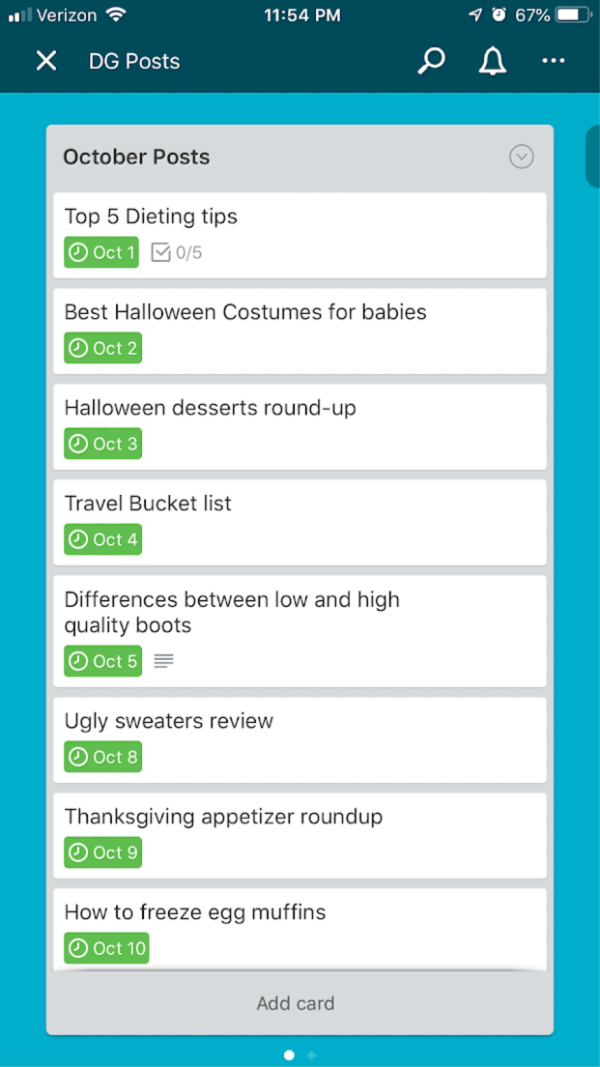
The image above shows what it looks like within each board. Since I joined an October blog challenge where we needed to try and write a post every single day (Monday through Friday). I had knee surgery on October 10th, so I knew that if I wanted to be successful with this challenge, I needed to start pre-planning my posts. I used the Trello app to do this.
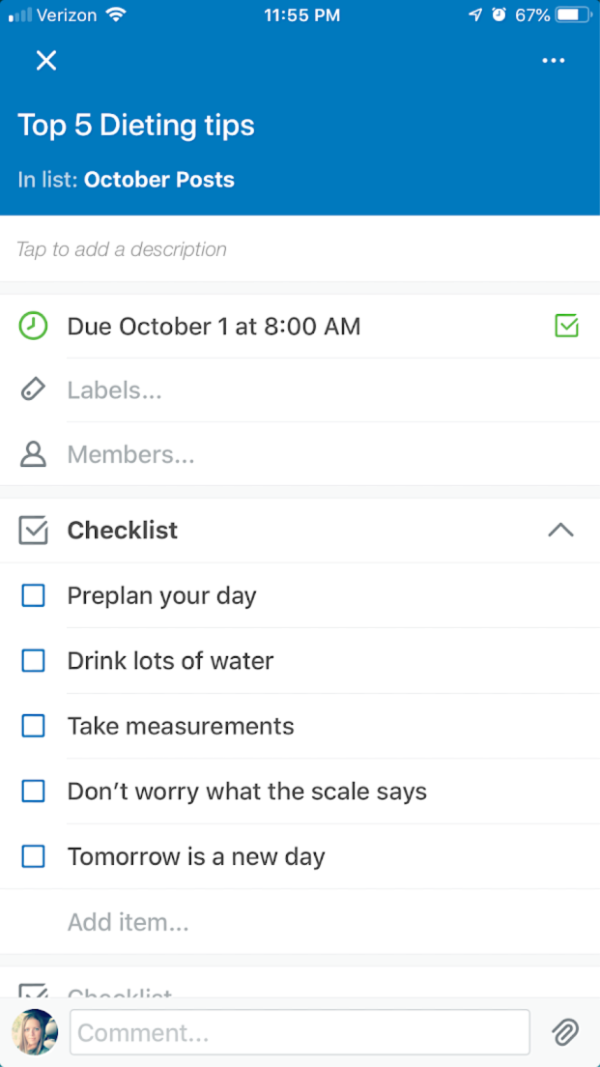
As I mentioned above, you can add cards to each board. In this case, each card for me was a blog post. You will notice in the image above, this particular post was about 5 dieting tips. Since I was pre-planning my posts, I was also able to make a checklist within each card to plan out the individual posts. This made the writing process go a lot quicker.
I’ve been blogging for over 10 years. Over the course of the last 10 years, I have tried every which way to figure out a process for me that worked when it came to pre-planning. Nothing seemed to work for me. I can’t tell you how many planners I bought, thinking that was finally going to work. Nope! Nothing worked until I tried the Trello app. Give it a try! It’s a FREE app found in the app store and the Google Play store.
Leave a Reply